

Build: the five ways to make something
The Build tab is the front door to AI Builder. Five modes sit across the top, and the mode you are in is in the URL — reload and you are still where you were.
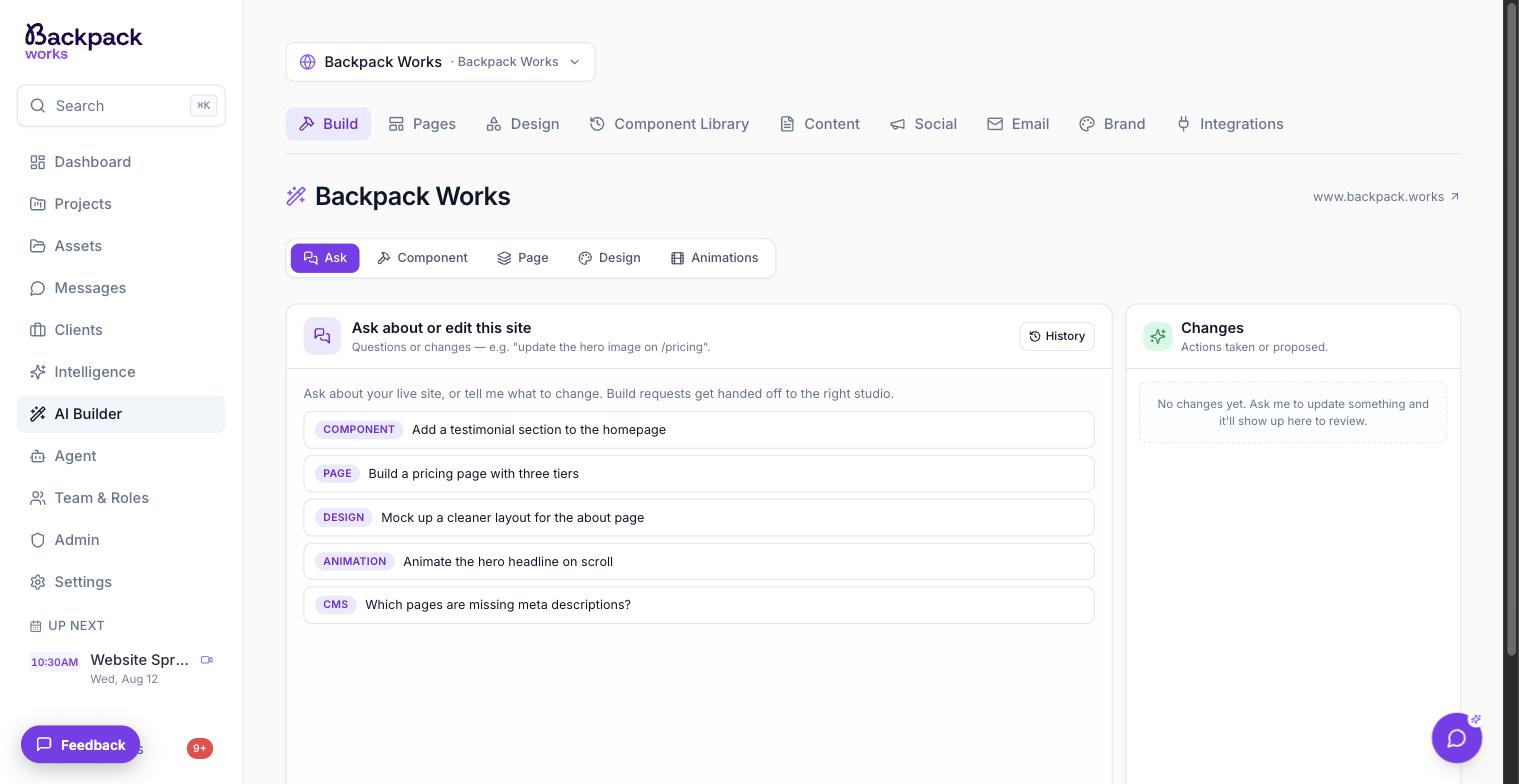
Ask
The default, and the one to use when you are not sure which of the others you want. Describe what you want in a sentence and it hands off to the right studio with your brief already filled in.
Ask does not build. It routes. That distinction matters because it is also the only mode that works with no CMS connected — you can ask questions about your site before any of the publishing setup is done.
Two columns: Conversation for answers, and Changes for a running ledger of anything it actually did — a task created, an edit proposed, a draft written. Anything with a consequence lands in the right-hand column so it is never buried in chat.
Component
One section of a page: a testimonial block, a feature grid, a pricing table. Describe it, optionally attach reference images, and press Create preview. Takes 60 to 120 seconds.
Improve with AI expands a short brief into a detailed one before generating, and you can undo it if you preferred yours.
What happens next depends on your CMS — see the publishing article. On generated components you get Refine component to iterate, plus links to the preview, the pull request and your CMS.
The list shows only the latest version of each component. Earlier iterations are reachable through the history strip inside the refine dialog, so a component you have refined five times is one card and not five.
Page
A whole page, in two stages: plan, then build. The planner proposes sections and labels each one:
- existing — a component already in your library. Reused as-is.
- library — a vetted prebuilt recipe, rendered on your brand with no model involved.
- new — generated from scratch.
Edit the plan before you build: add sections, remove them, or generate the missing ones. You can attach a source document — a Google Doc link, a blog URL, anything publicly readable — and the copy will be written from it rather than invented.
Design
A full-page mockup rendered live at desktop, tablet and mobile widths. Brand only — no CMS connection needed. Pin a comment on any part of the preview ("make this CTA larger, use brand purple") and apply the pinned changes as a batch.
Send to Figma exports it as editable layers. When you are happy, hand it to the component path and it becomes real code.
Animations
Generates a self-contained animation using CSS keyframes or animated SVG, with no JavaScript. Build into site turns it into a component. Download as dotLottie is offered when the animation can be represented in Lottie; when it cannot, the button says so rather than exporting something broken.
What you need connected
Ask and Design work with nothing connected. The other three need a working CMS setup, and what counts as working differs:
- WordPress — a staging URL and secret. No GitHub needed.
- Webflow — connected and a Webflow site picked.
- Prismic — GitHub owner, repo and token, plus a Custom Types API token.
If something is missing you will see a line pointing at the Integrations tab rather than a failure part-way through a build.