

Pages: tracking a full page build
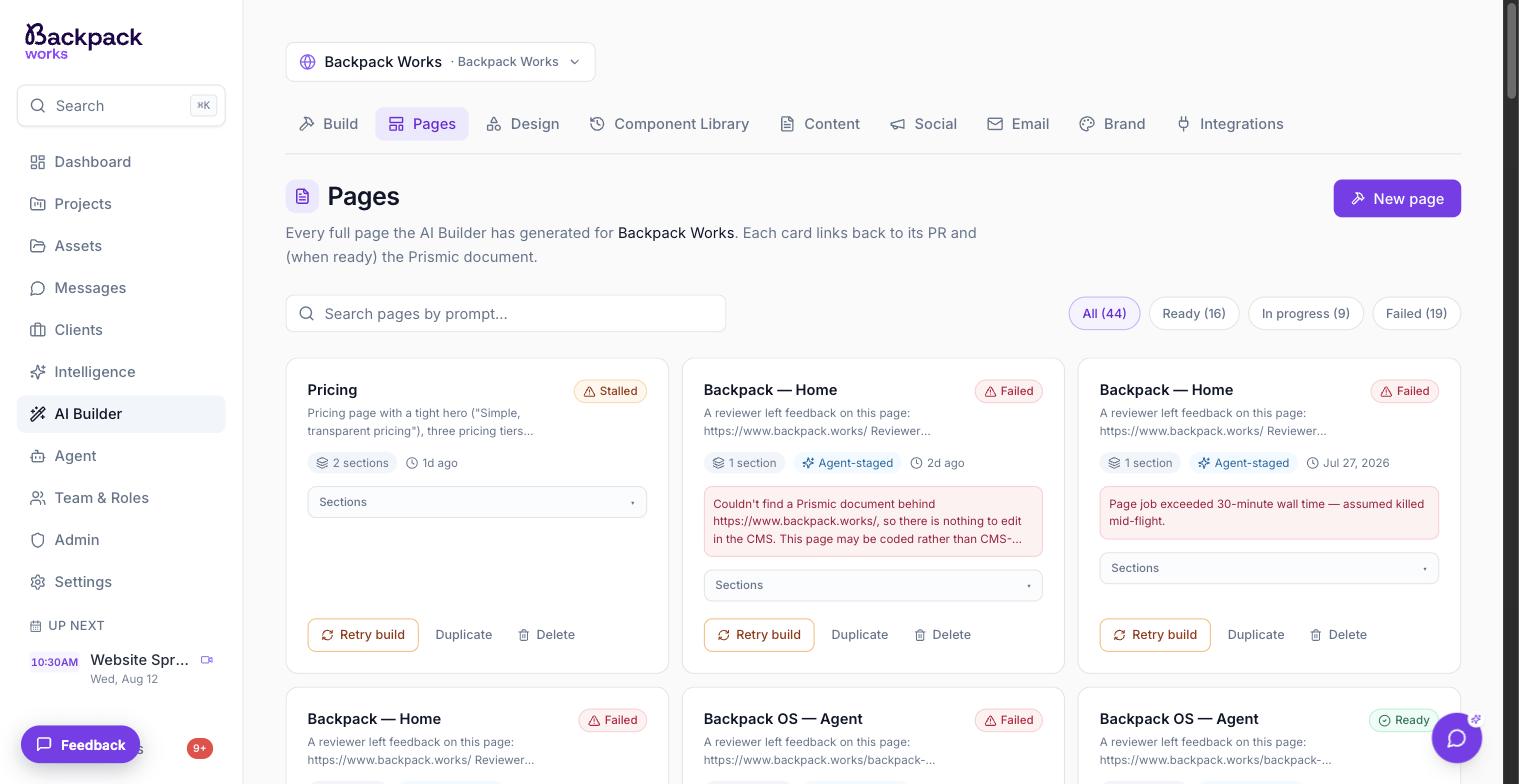
Every full page AI Builder has generated for this site, newest first. Search by prompt, or filter by All, Ready, In progress and Failed.
Status, precisely
Two statuses are final: Ready and Failed.
Everything else shows as Working. Four different stages sit behind that one pill — planning sections, plan ready, generating components and opening the PR, and writing the document to your CMS. Hover the badge to see which one it is actually on.
After 15 minutes a working page flips to an orange Stalled badge. Nothing has changed underneath; it is telling you this has taken longer than a build should and is probably not coming back. Retry build is the answer.
The build chips
Separate from status, these track what your deploy pipeline thinks of the generated code: Build pending, Build passing, Build failing — fixing (n/3), and Build failing — manual fix once three automatic attempts are used up.
We try to fix a failing build three times before handing it back to you. Build status pending usually means no preview checks are visible on the commit, which normally means your deploy platform is not wired to the repo.
What you can do on a card
- Retry build — on a failed page, or a working one older than 15 minutes.
- Compose now — Prismic only. The code shipped but the document was not written. Re-runs just that step; the pull request and component code are untouched.
- Preview page — opens the staged draft in your CMS.
- View PR — the pull request with the generated code.
- View components — the individual components this page created.
- Duplicate plan — reopens Build with the same brief so you can adjust and rerun.
Two different "no document" states
An amber box means the build was healthy and the document simply has not been written yet — press Compose now. A red box means composing was attempted and errored, and the message names the reason. They look similar and mean different things.
Deleting
Deleting a page removes it from the list, cascades to the components it created, and — when the pull request is still open — closes the PR and deletes its branch. That last part matters: leaving the branch behind means the generated code shows up as phantom components in your local tooling.
On Prismic, the staged draft stays in Prismic. We cannot remove it through the API; archive it in Prismic if you do not want it.
Live updates
The page refreshes itself roughly every 8 seconds while anything is still building, and stops once everything has settled. You do not need to reload to watch progress.