

Email and Social: templates and posts on your brand
Email templates
Generates responsive HTML that survives Outlook, Gmail, Apple Mail, mobile and dark mode, built from your brand and tokenised for your email platform.
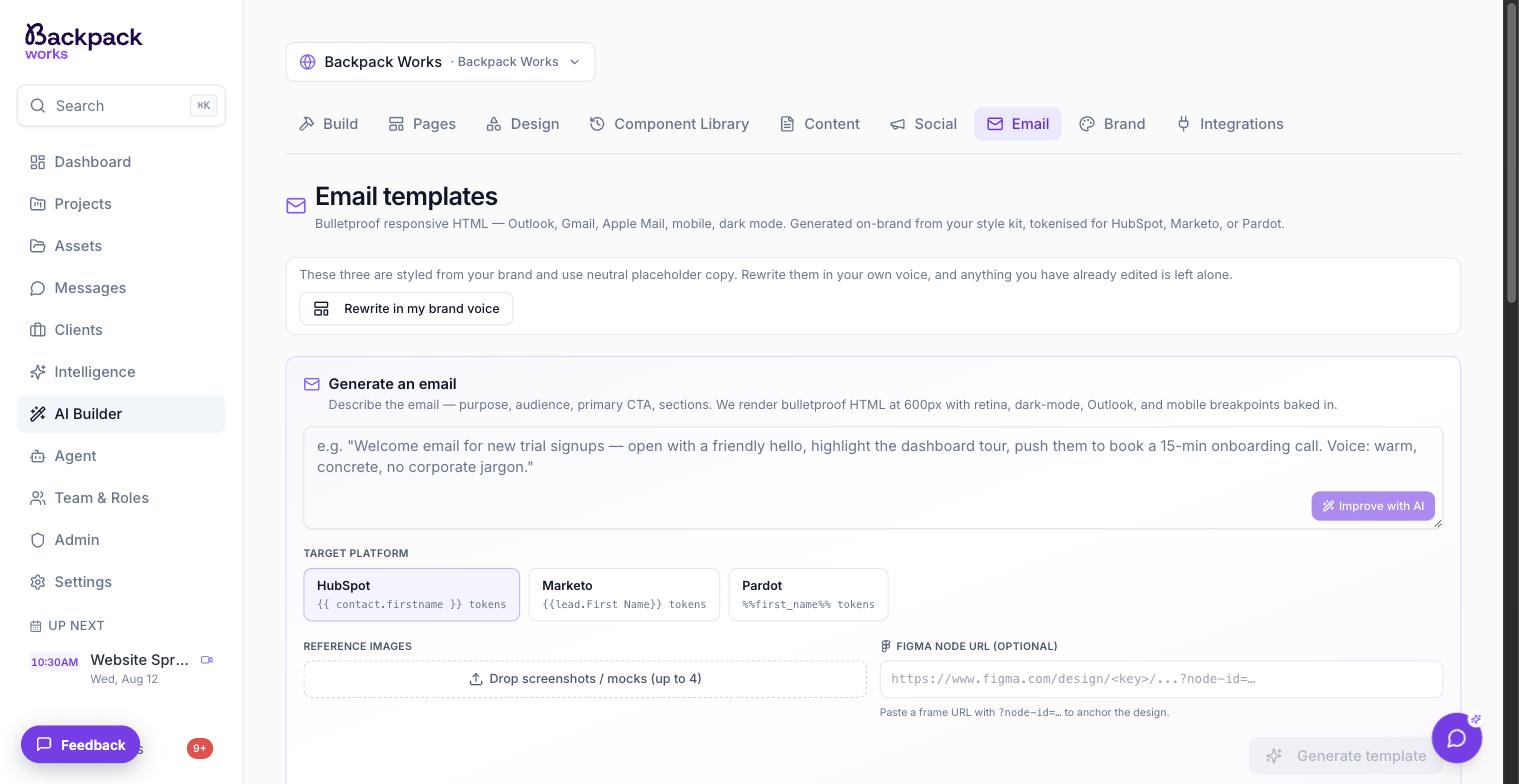
Three templates are already there
On your first visit we seed Product announcement, Newsletter and Welcome, styled from your brand with neutral placeholder copy. They use neutral copy on purpose so there is no model call sitting in front of your first page load.
Rewrite in my brand voice turns all three into your voice in one click. Anything you have already edited is left alone.
Generating one
Describe the email — purpose, audience, primary call to action, the sections you want. Improve with AI expands a short brief into a fuller spec first. Pick your platform: HubSpot ({{ contact.firstname }}), Marketo ({{lead.First Name}}) or Pardot (%%first_name%%). The right token syntax is written into the output, so it works when you paste it in.
You can drop up to four reference screenshots or mockups, and anchor the design to a Figma frame by pasting a node URL.
Checking it
Toggle between rendered Preview and Raw HTML, change the preview width and colour scheme, and view it in a mobile or laptop chassis. The Clients panel runs ten email-client compatibility checks and reports errors and warnings — or tells you it passes. Then download or copy the HTML into your platform and send yourself a test.
Social
Draft, schedule and publish to Facebook, Instagram and LinkedIn. Captions are written in your brand voice, and topic suggestions come from your GEO and SEO opportunity scores, so you post about what people are actually searching for.
Connecting accounts
Real OAuth to each network. Connect at least one before writing anything — the caption generator needs to know which network it is writing for, because the right length for LinkedIn is the wrong length for Instagram. Disconnecting keeps your drafts.
Composing
Pick your networks, then either write the caption or generate one. Generate from URL takes a blog post URL and writes the post from it. Upload an image or generate one, with alt text and a square or portrait aspect for Instagram.
One pass can produce a different caption per network — a short Instagram hook and a long-form LinkedIn version from the same brief — rather than the same text everywhere.
Scheduling
Save as a draft, or set a date and time and schedule it. The calendar view shows what is going out and when. Posts are filtered by Drafts, Scheduled, Published and Failed.
Per-network previews are close but not exact — each platform renders its own way, and the composer says so rather than promising a pixel match.