

Content: update what is live, or write something new
Two jobs on one page: change copy that is already live, or make something new. The tab opens on Update existing pages.
Bulk updates
Eight operations that run across many pages at once:
- Find & replace — swap text sitewide.
- AI rewrite — regenerate titles and meta descriptions.
- Image alt text — write alt text for images missing it.
- Create pages — draft a batch of new pages.
- Get mentioned by AEO/GEO — restructure copy so assistants can quote it.
- Meta / social image — set share images.
- Translate — translate existing content.
- JSON-LD schema — add structured data.
Every run previews the exact change per page before anything is written. You see a per-page diff and approve it. A run that stops at previewed has changed nothing on your site — that is a safe state to leave it in, not a failure.
Recent runs are listed with what happened: "8 applied of 8 scanned" once applied, "3 would change of 40 scanned" while still a preview.
Creating content
Three steps, and you can enter at any of them.
Research a topic — suggested topics scored from your own Search Console and GA4 data, with monthly volume, your current position, the search intent, content angles and internal link suggestions. These are keywords you have a real chance at, not a generic list.
Draft with AI — generate the post in your brand voice.
Write it yourself — the writing assistant, with an optimization score checking whether the keyword is in the intro and a heading, whether there is a question-style heading, whether you use lists, and whether paragraphs are scannable.
Drafts move through four lanes: In progress, Ready to publish, Published and Failed. Open one to edit the title, slug, meta tags, body, FAQ pairs and generated JSON-LD, then publish to your connected CMS. The publish button names the CMS — "Publish to WordPress", "Publish to Prismic" — so there is no doubt where it is going.
A draft will not publish unless it is marked ready and has both a title and a body.
Autopilot
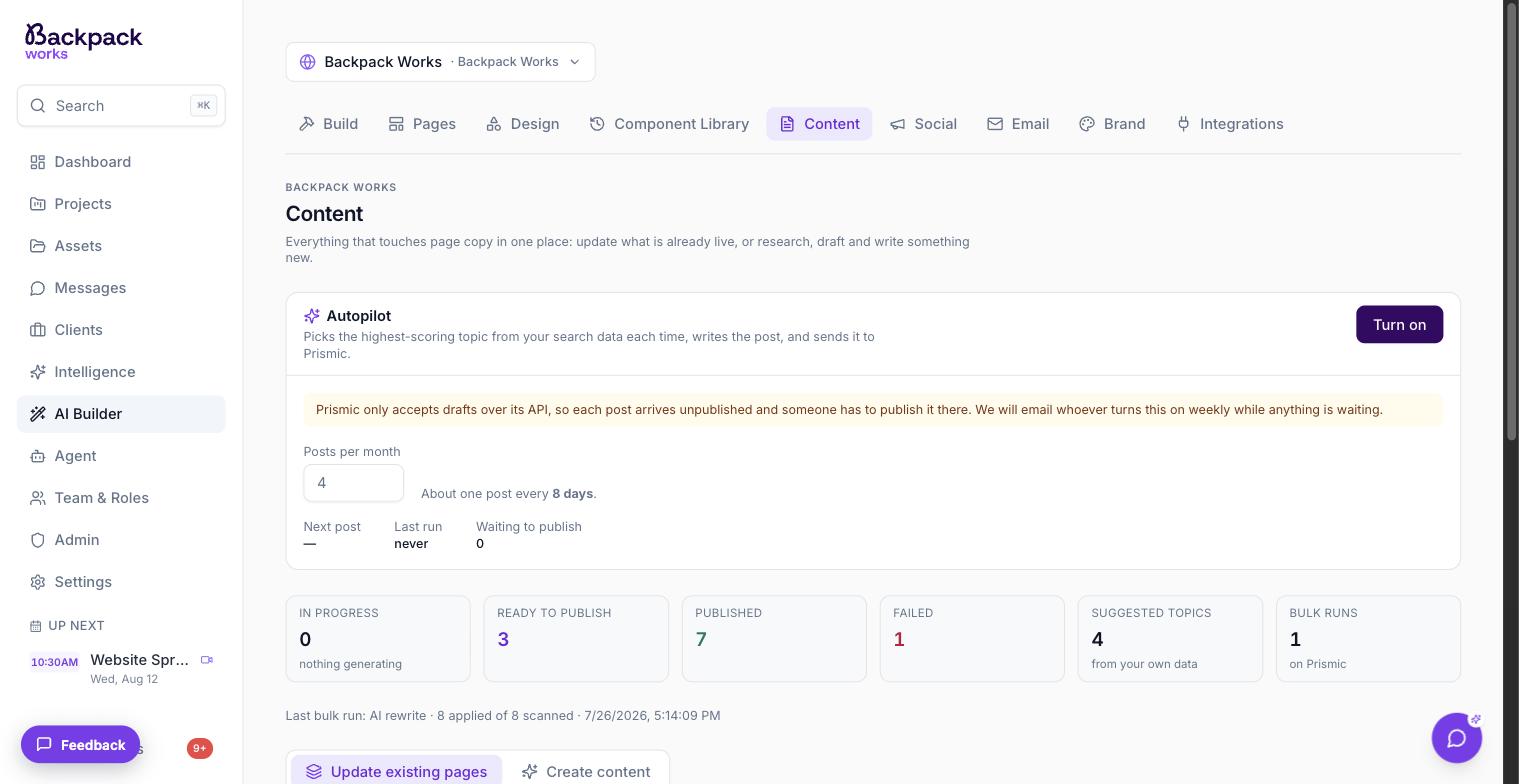
Sits above everything else because it is a decision to make before you start opening individual drafts. Turn it on, set posts per month, and it picks the highest-scoring topic from your search data, writes the post and sends it to your CMS on a schedule.
The panel tells you when the next post is due, when it last ran, and how many posts are waiting for someone to publish them. On Prismic it says plainly that posts arrive unpublished and someone has to publish them there, and it will email whoever turned it on weekly while anything is waiting.
What it needs
A connected CMS to publish to, and search data to choose topics from. With neither Search Console nor GA4 connected, the recommender has nothing to score and the page explains how to connect them.